01 / Find your files
Find the file you mean
Remember what it is, but not what you called it? Search by name, type, date, or meaning. Find a resume, a movie, or your latest download, then preview or open it.
 Jolt
Jolt
Not just another launcher. Jolt understands what you mean, then finds your files, controls your Mac, and runs the commands of the app you are in.
Built on Jev by TypeSafemacOS 14 or later. Apple Silicon. Jev uses your own TypeSafe API key.
Real tasks, on a real Mac. See it all here, then one demo at a time.
Remember what it is, but not what you called it? Search by name, type, date, or meaning. Find a resume, a movie, or your latest download, then preview or open it.
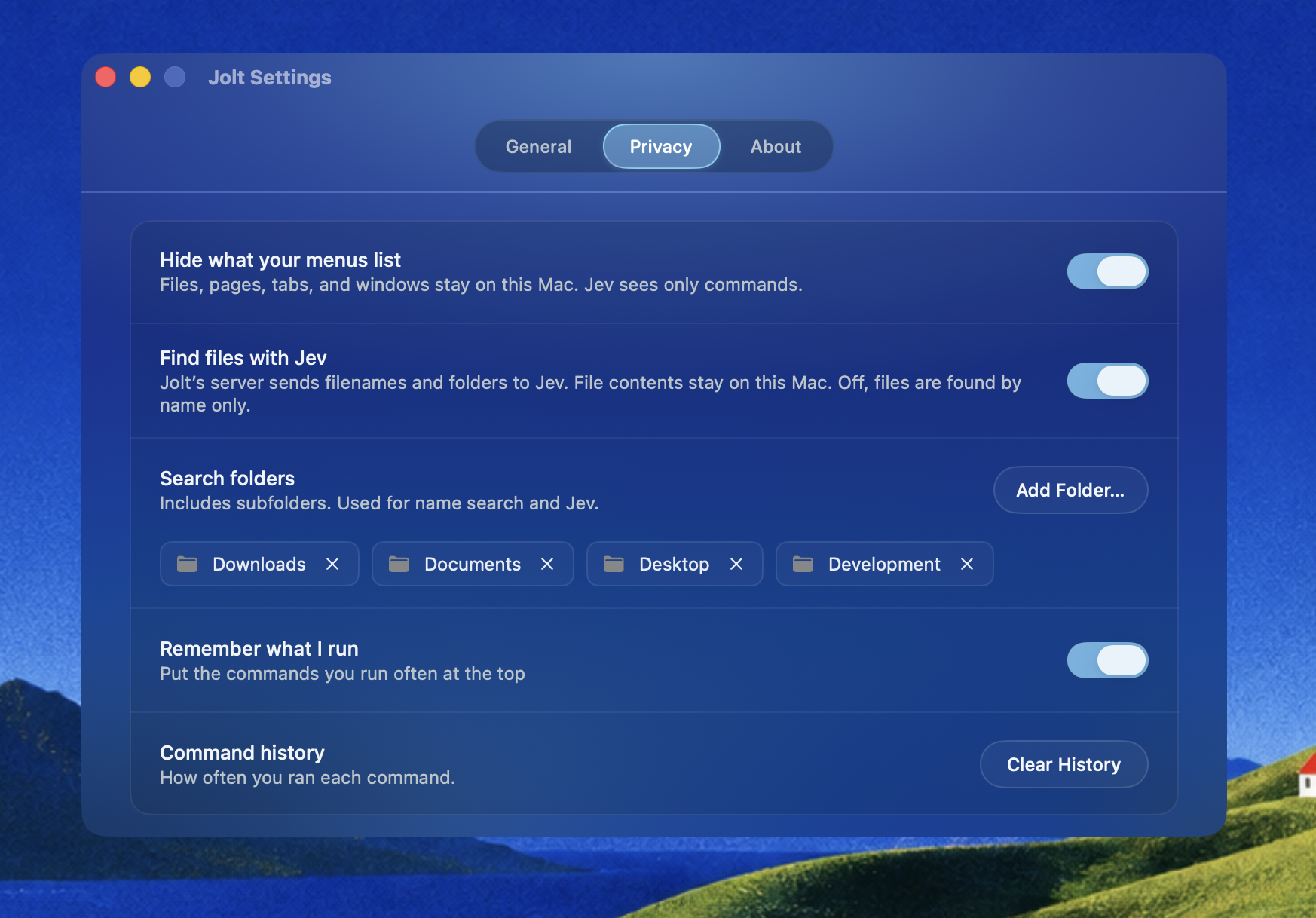
Add the folders you want Jolt to search, including their subfolders. Remove them whenever you want in Settings → Privacy. Jolt never asks for Full Disk Access.
Find a file in Jolt and drag it straight into another app. Attach a resume to a chat, copy a file, or copy its path without opening Finder.
Build your project, split the editor, or open Xcode settings from Jolt. Describe what you need, even if you do not know the command’s name.
Rotate a page or change how it looks in Preview. Type what you want in Jolt, choose the command, and get back to the document.
Open Ghostty’s inspector, close it again, or switch to full screen. Jolt finds the app’s commands while you stay in your terminal.
Launch an app, keep your Mac awake, or change a system setting. Search in the Mac tab and run the action from the same panel.
Control Spotify and Apple Music from Jolt. Skip a track, resume playback, or change shuffle and repeat without opening the music app.
Switch your Mac between light and dark mode from the launcher. Jolt changes its own appearance with the rest of your Mac.
Search Wikipedia, Reddit, or YouTube from Jolt. Say what you want and where to look. The results open in your default browser. Search shortcuts like !w work too.
Press Tab to move between commands for the app in front, actions for your Mac, and file search. The selected tab always shows where Jolt is looking.
With an empty search, press Space to jump into Files. Press Backspace while the search is empty to return to the tab you came from.
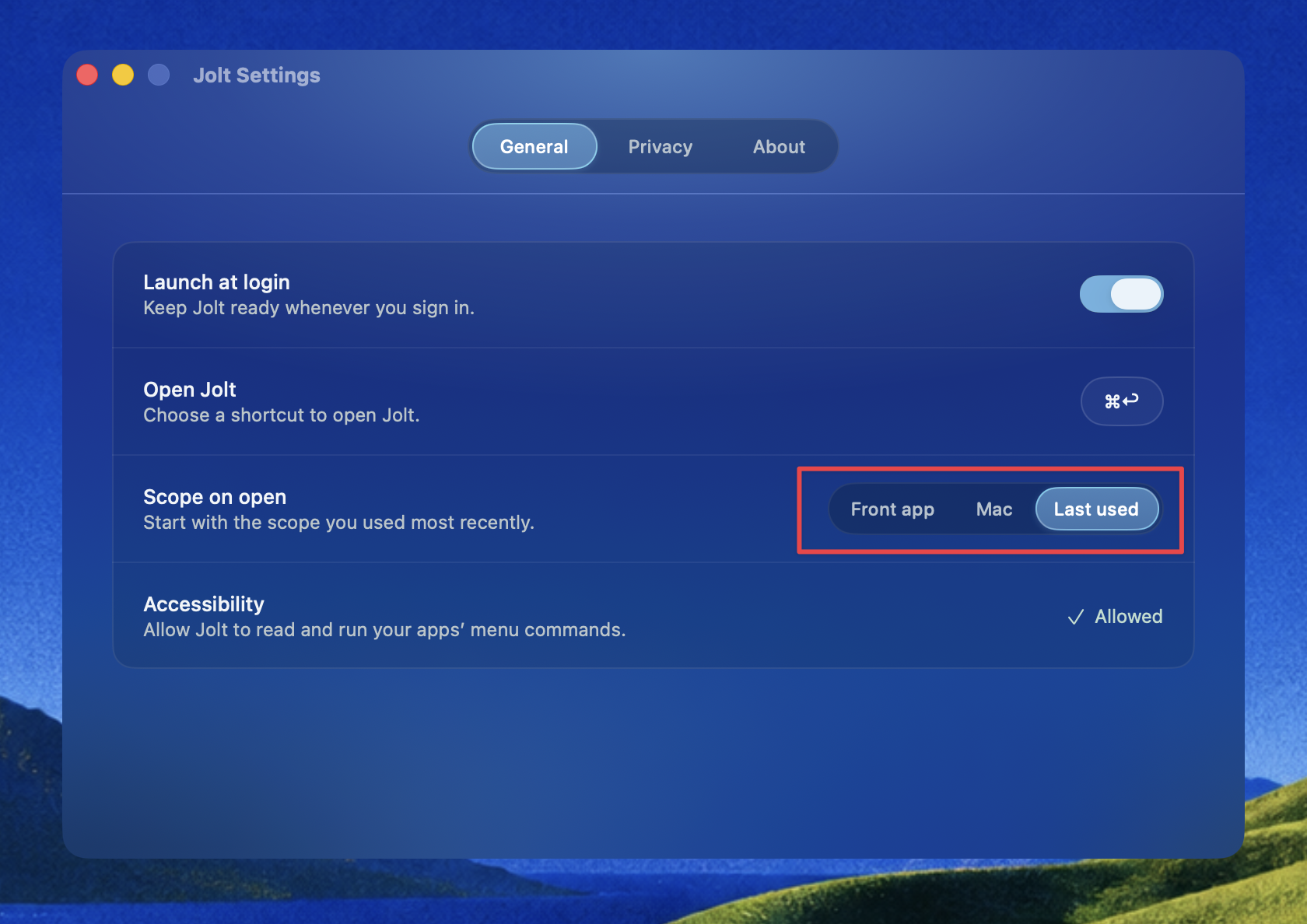
Choose what Jolt shows when you open it: the app in front, Mac actions, or the tab you last used. Set your own shortcut to open Jolt here, too.
Move from Finder to your browser, terminal, or Slack. Jolt takes its tint from the app’s icon and shows its name, so you can see which app you are controlling.
Jolt reads what your Mac already has: the menus of the app in front, the actions your apps publish, and the panes of System Settings. A new app brings its own commands.
Jolt knows which app is in front and can run any command in its menus. Say what you want in your own words.
 XcodeClean Build FolderProduct↵
Say how long, how loud, or how soon. Jolt reads the value on your Mac and puts it in the command.
MacKeep AwakeFor 35 minutes · until 4:13 PM↵Ask Xcode to “change the line spacing”. Jolt opens its settings, selects Themes, and puts a ring on Line Spacing.
Simulator has 99 without one. Safari has 114. Xcode has 66. Stop hunting through menus. Describe what you want, and Jolt finds it.
Straight from your Mac to TypeSafe, with your own API key. Jev is a model from TypeSafe.
Jev gets none of it.
Jev chooses a command, and ordinary code runs it. No agent runs on your Mac. Jolt does not read your screen or write your queries to disk, and never asks for Full Disk Access. Questions about privacy
Jolt is in beta, and we have plenty of ideas for what comes next. We’ll add new features step by step, with your feedback helping shape the order.
Find what’s using your CPU or memory. Stop a stuck process directly from Jolt.
Find, install, update, and remove Homebrew packages and apps from the launcher.
Pick a color anywhere on your screen and copy its color code into your design or code.
Tell us what you’d ask Jolt to do. Requests on GitHub help decide what we build next.
One search for everything. Jolt looks through your apps, commands, files, and settings at once, with no scope to pick first.
Say what you want instead of typing it. Jolt runs a spoken request the same way it runs a typed one.
Find anything you copied earlier, and paste text you use often with a short keyword.
Tell us what you’d ask Jolt to do. Requests on GitHub help decide what we build next.
Choose an agent such as Claude Code or Codex, then open or switch to its terminal. Sending prompts from Jolt comes next.
Choose ChatGPT or Claude and send a prompt from Jolt. Pick the assistant you want for the task.
Search your notes, open the one you need, or capture a new thought without hunting through folders.
Jolt already opens Google searches. Next, get suggestions as you type, then open your search in the browser.
Translate selected or pasted text with Apple’s native translation. Choose a language and copy the result.
Paste a video link, choose video or audio, and save it to your Mac using yt-dlp.
Import compatible Raycast extensions and run their commands in Jolt. We’ll expand compatibility step by step.
Tell us what you’d ask Jolt to do. Requests on GitHub help decide what we build next.